Kaseya Store: My Account page
 Security and navigation
NAVIGATION Kaseya Store > My Account
PERMISSIONS Admin or Billing and Purchasing role
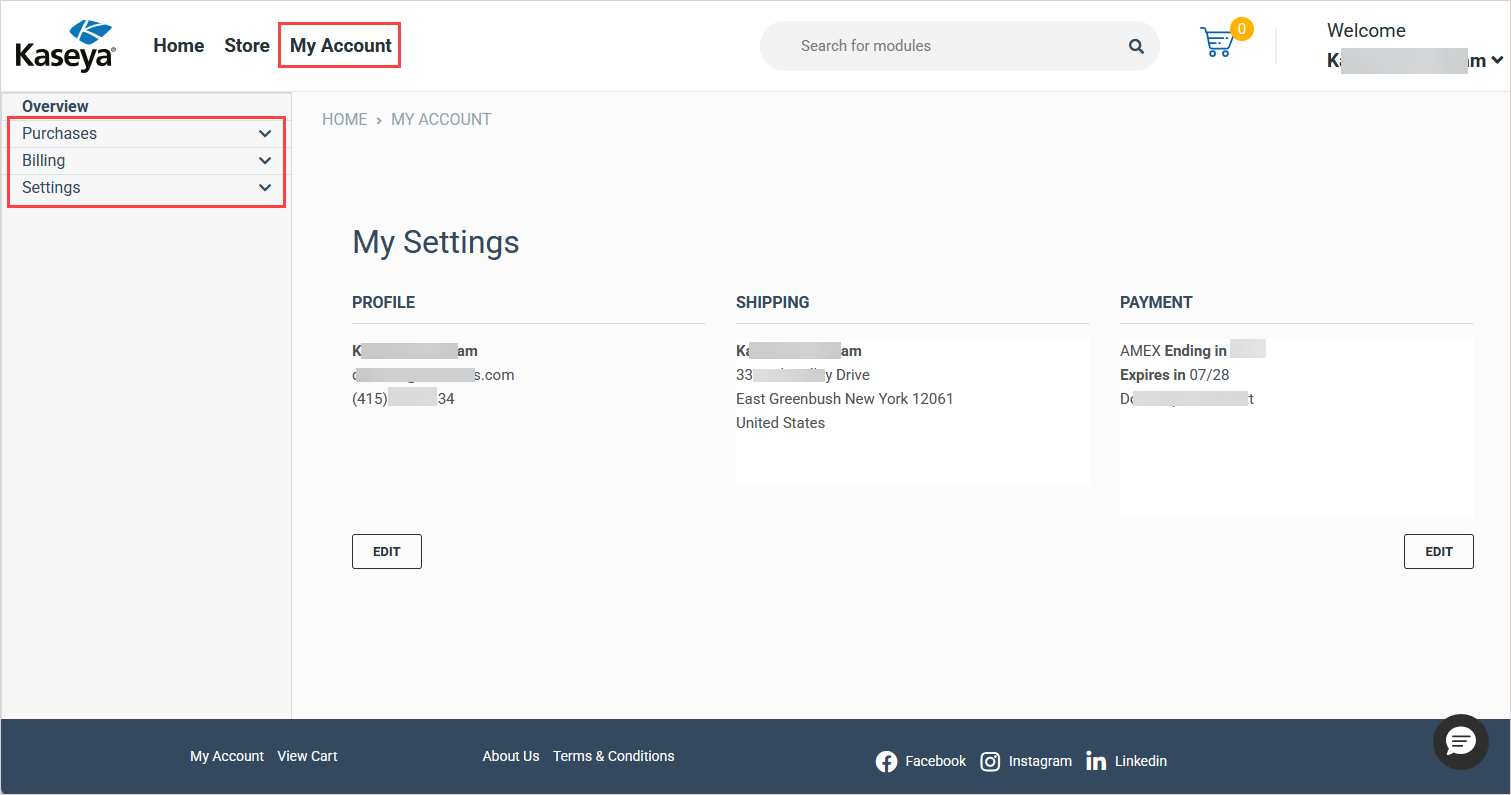
In Kaseya Store, navigate to My Account to manage and monitor your purchases, billing, and Kaseya Store account settings. While the Kaseya Store Home page provides a quick overview of all orders, billing, and active subscriptions, the My Account page allows users with the Admin or Billing and Purchasing role to manage and monitor all purchases and billing information by selecting options in the left navigation menu.
The My Account page also summarizes your profile, shipping, and payment information and allows you to edit your profile information and add or edit the payment details for your account. See the procedures below for details.
How to...
Edit your profile information
To edit your profile information:
-
Navigate to My Account > Settings > Profile Information in Kaseya Store.
-
On the Profile Information page that opens, change the phone number as required.
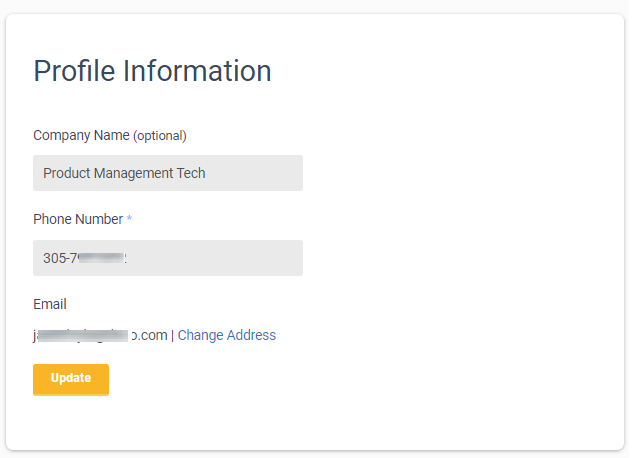
NOTE To change your company name, please submit a support ticket and our team will assist you. For details, see Kaseya Helpdesk.
-
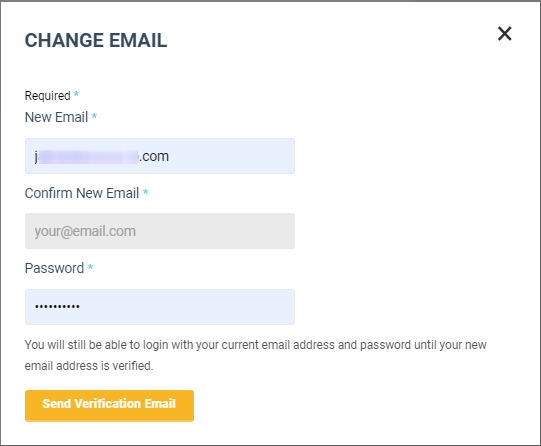
(Optional) To change your email address, click Change Address and on the Change Email dialog that opens:
New Email. Type in your new email address in this field.
Confirm New Email. Confirm your new email address in this field.
Password. Type in the password.
Click Send Verification Email.
Until your new email address is verified, you will still be able to log in with your current email address and password.
NOTE Changing your email address on the Profile page changes the email associated with your KaseyaOne user account only. To change your company's billing email address, submit your request through Kaseya Assist.
-
Click Update.
Add a payment method to your account
If you have not added a payment method, use these steps to add a credit card to your account:
-
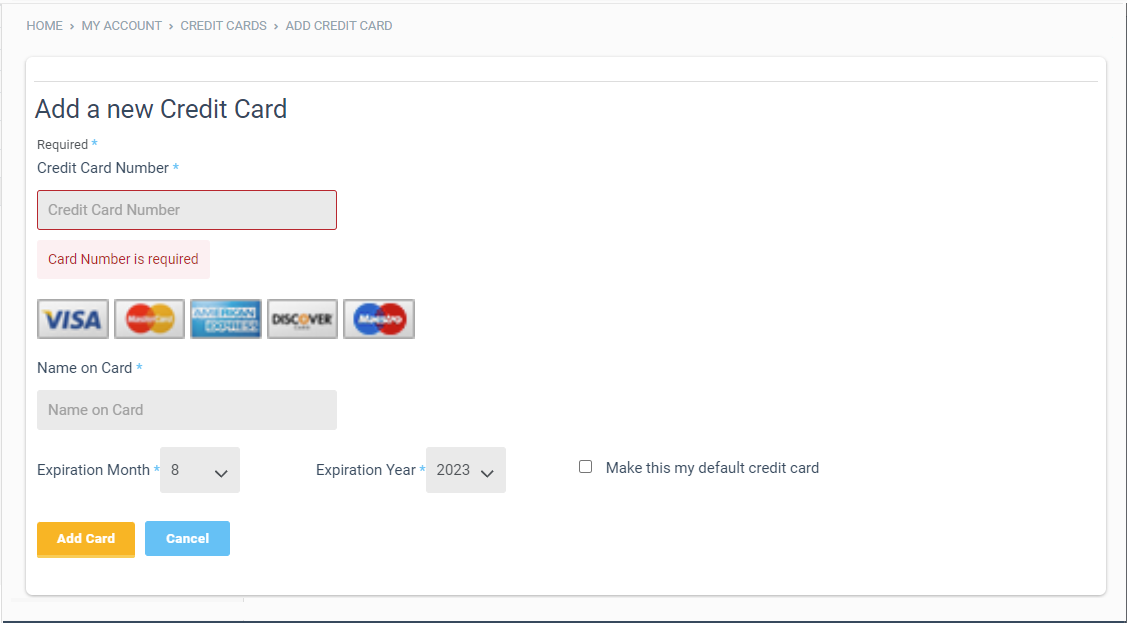
Navigate to My Account > Settings > Payment Methods in Kaseya Store.
-
On the Add a New Credit Card page that opens, enter the following information: Credit Card Number, Credit Card Type, Name on Card, Expiration Month, Expiration Year, and CVV.
-
(Optional) Check the Make this my default credit card box. At least one card must have this option selected.
-
Click Add Card.
Add another payment method
You can add more than one credit card as follows:
-
Navigate to My Account > Settings > Payment Methods in Kaseya Store.
-
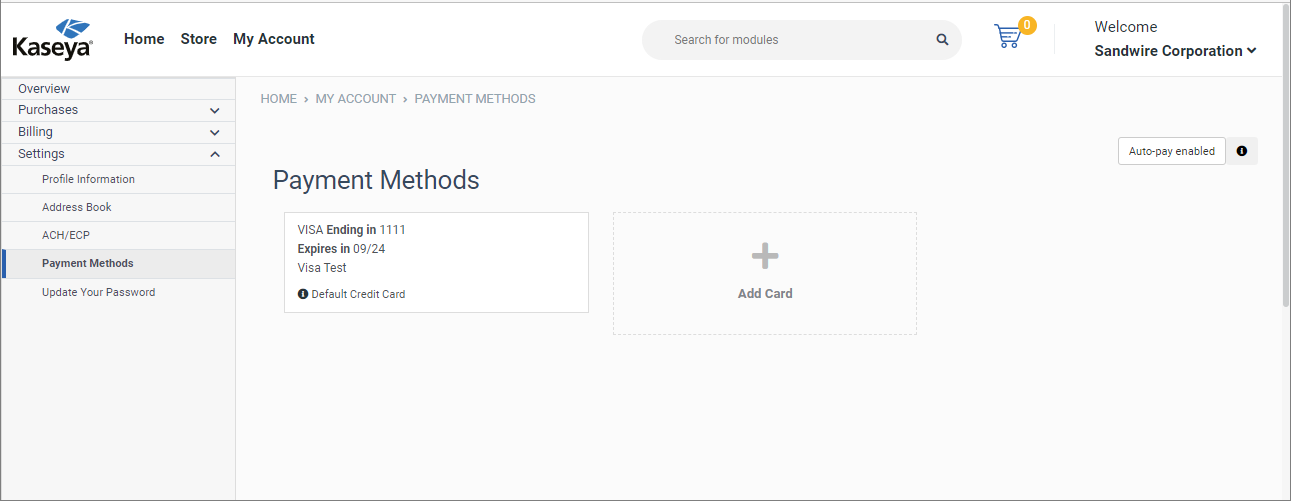
On the Payment Methods page that opens, click Add Card and enter the following information: Credit Card Number, Credit Card Type, Name on Card, Expiration Month, Expiration Year, and CVV.
-
(Optional) Select the Make this my default credit card check box.
-
Click Add Card.
The newly added credit card will appear in a new tile on the Payment Methods page.
Edit the default payment method for your account
After having added a default payment method (credit card) to your account, you can edit the payment details as follows:
-
Navigate to the My Account page in Kaseya Store and click Edit under PAYMENT.

-
On the Edit Credit Card dialog that opens, modify the following as required:
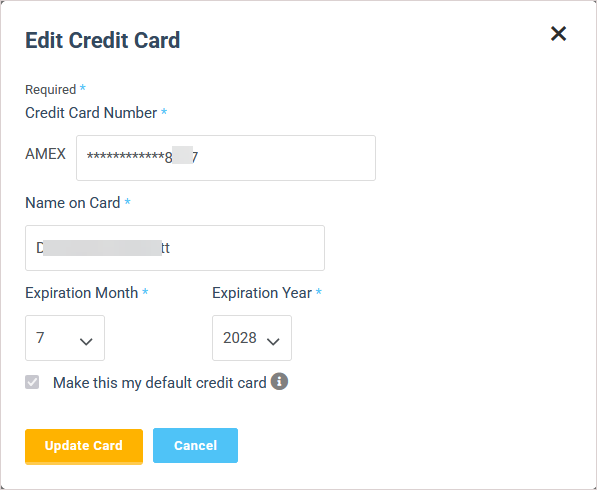
Credit Card Number
Name on Card
Expiration Month
Expiration Year
-
Click Update Card.
Add an address
-
Navigate to My Account > Settings > Address Book in Kaseya Store.
-
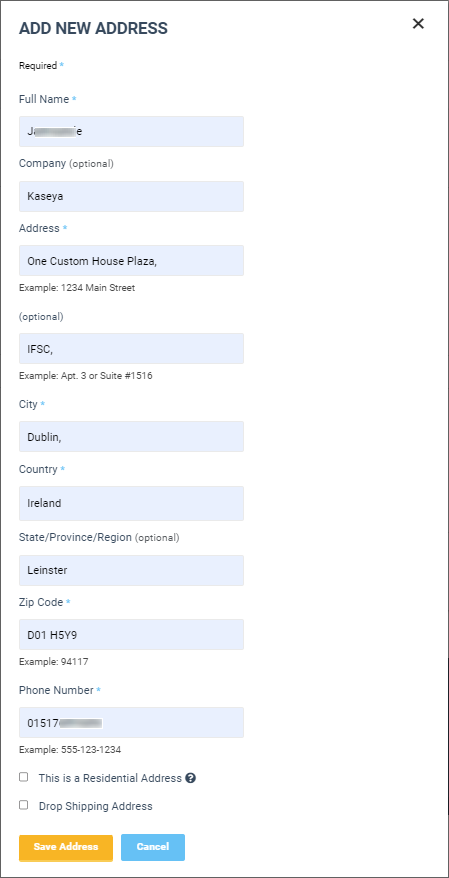
Click Add Address and on the Add New Address dialog that opens, enter the following information: Full Name, Company (optional), Phone number, and so on.
-
(Optional) Select one or more of the following check boxes:
- This is a Residential Address: Select this option to indicate that this new address is a residential address.
- Drop Shipping Address: Select this option to instruct Kaseya to disregard any existing shipping address.
-
Click Save Address.
The new address appears in a new tile on the Address Book page.
Set up ACH/ECP information
-
Navigate to My Account > Settings > ACH/ECP in Kaseya Store.
NOTE If the ACH/ECP option does not display under My Account > Settings, the feature has not been enabled in your environment. To request access to this feature, submit a billing ticket.
-
On the ACH Information page that opens, enter the following information:
- Account Type: Select one of the following options: Consumer/Corporate checking, Consumer/Corporate savings.
- First Name and Last Name
- Account Number Routing
- Routing Number
-
Click Submit.
Repeat this task as required.
Update your account password
-
Navigate to My Account > Settings > Update Your Password in Kaseya Store.
-
On the Update Your Password page that opens, do the following:
Current Password. Type in your current password.
New Password. Type in the new password.
Confirm Password. Type in the new password.
-
Click Update.
For additional procedures on managing billing and invoices, subscriptions, purchases, and payment methods, see these other articles:


