Kaseya Store FAQs
This article lists some Kaseya Store questions that are frequently asked by our customers and answered by our KaseyOne team.
 Where can I find the Kaseya Store?
In KaseyaOne, users with the Admin or Billing and Purchasing role can access the Kaseya Store by clicking Kaseya Store on the top navigation menu: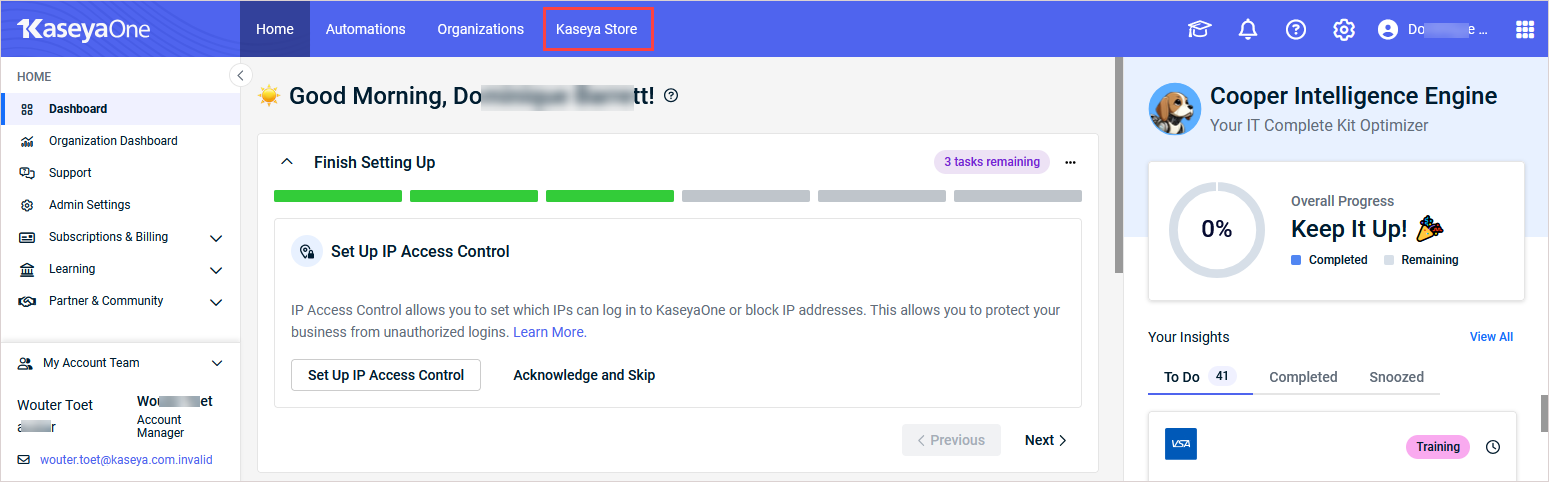
If you do not have a KaseyaOne account with the Admin or Billing and Purchasing role, request one from your organization's KaseyaOne administrator.
If your organization does not yet have a KaseyaOne account, request one from your Kaseya account manager.
Is there any difference in accessing the Kaseya Store from Datto Partner Portal vs KaseyaOne?
No, you may access the Kaseya Store from either Datto Partner Portal or KaseyaOne.
Where do I change my payment information for the Kaseya Store?
Navigating to Payment Management in KaseyaOne goes to the Payment Management page where you can add, update, and remove payment methods on the Payment method management tab.
You can also manage your payment methods in Kaseya Store (My Account > Settings > Payment Methods). The changes you make on the Payment Management page in KaseyaOne or on the Payment Methods page in Kaseya Store updates the information on both of these pages.
How do I cancel a subscription in the Kaseya Store?
The Cancel option is not available within the Kaseya Store. Please contact your account manager (refer to Your Kaseya team widget) to cancel a subscription.
Where can I find my invoices?
Navigating to View and Pay Invoices in KaseyaOne takes you to the Invoices page in Kaseya Store (My Account > Billing> Invoices).
How do I accept quotes?
Purchases through the store are accepted upon completing the checkout process. Quotes are not available in the Kaseya Store and will be issued through a DocuSign by your account manager (refer to Your Kaseya team widget).
Where can I find account statements with itemized historical charges and purchases?
Clicking View and Pay Invoices in KaseyaOne goes to the Invoices page where you can click Excel to download a detailed itemized CSV (comma-separated value) file that includes more detail that does not fit on an invoice
How do I make updates to who receives the invoice?
Contact your account manager (refer to Your Kaseya team widget) to request updates.
Who do I contact if I’m unable to access the Kaseya Store?
In KaseyaOne, users with the Admin or Billing and Purchasing role can access the Kaseya Store by clicking Kaseya Store on the top navigation menu:
If you do not have a KaseyaOne account with the Admin or Billing and Purchasing role, request one from your organization's KaseyaOne administrator.
If your organization does not yet have a KaseyaOne account, request one from your Kaseya account manager.
Can I update my address in Kaseya Store?
Yes. From within Kaseya Store, do the following:
-
Navigate to My Account > Settings > Address Book, and then click Add Address.
-
Enter the new address details and select one (or more) of the check boxes described in the following table as required.
Check box Description This is a Residential Address Selecting this check box indicates that this is a residential address and will help us determine the best delivery method for your items. Drop Shipping Address Selecting this check box instructs Kaseya to ignore or disregard any existing shipping address. -
Click Save Address.
How do I purchase Kaseya products and services in Kaseya Store?
Go to the Store page to search for and review module subscriptions and to shop for modules and place orders. For details, see Kaseya Store: Store page.


